Navigation
Defining navigation for a form factor that didn't exist yet
Ray-Ban Meta Display introduced a heads-up display in the user's field of vision, something no consumer product had done before. Navigation was one of the first features to define how voice, display, and movement work together when information sits in your eyeball. I owned the conversation design, shaping every voice interaction flow while partnering with a visual designer to adapt their UI designs into a cohesive voice-visual experience.
A display in your eyeball changes everything
This wasn't adapting phone navigation to glasses. A display in someone's field of vision fundamentally changes the design problem. Information competes with the real world. The user is physically moving, often in traffic. Cognitive load isn't abstract, it's physical. There was no playbook, no existing patterns, no competitor to reference. Every interaction pattern had to be invented from scratch.
Voice had to carry the navigation experience because users can't safely focus on a display while walking. The display provides context, but voice drives the action.
Unlike a phone screen, a HUD shares space with the real world. Every visual element had to earn its place without distracting from what the user actually needs to see.
Owned all voice interaction flows: how directions are spoken, when to prompt, how to handle rerouting, and the timing of every utterance relative to user movement.
Took the visual designer's UI and adapted it to respond dynamically to voice states and conversation flow, defining when and how displays update during navigation.
Defined when voice leads vs. when the display leads so users never get conflicting signals. Co-created patterns from scratch since no design system existed for a HUD.
When to speak, when to stay quiet
The hardest design problem wasn't what the assistant says, it was when. Too early and the user forgets. Too late and they miss the turn. Too frequent and the voice becomes noise. I designed the timing and modality decisions for every navigation state: when voice leads, when the display takes over, and when both work together.
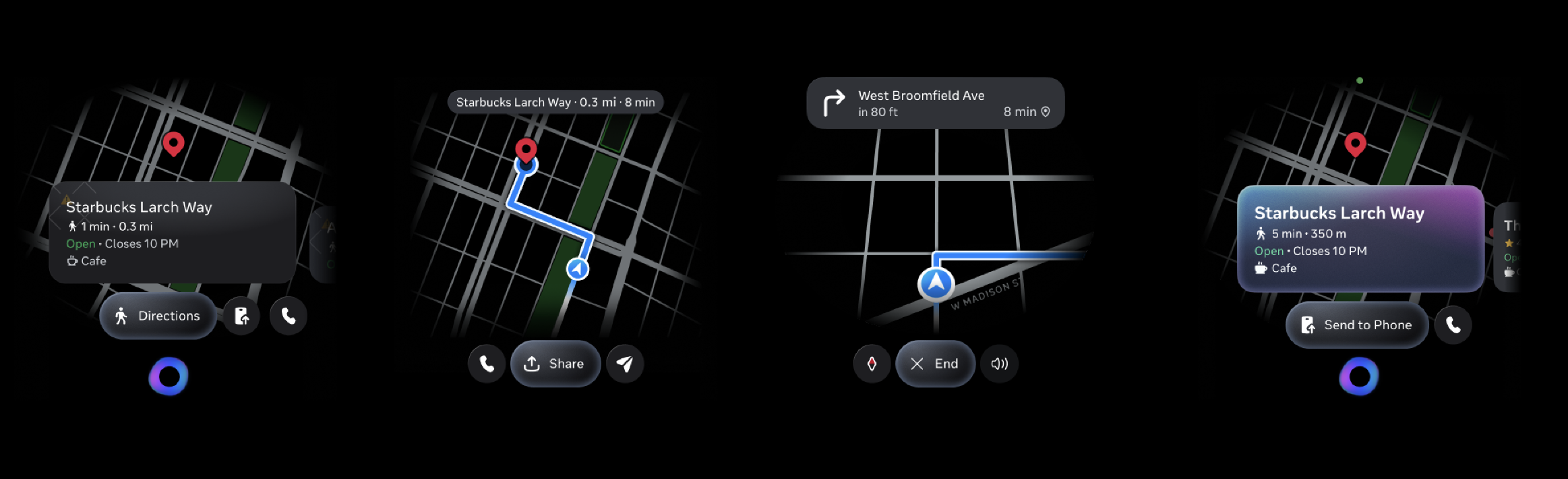
Simple turns
"Turn left ahead" — user doesn't need to look at anything. Voice is faster and less distracting.
Complex intersections
Multi-way intersections where "turn left" is ambiguous. The map overlay is clearer than words.
Arrival
"You've arrived" spoken aloud while the display highlights the destination. Confirmation through both channels.
Designing for what goes wrong
The happy path is straightforward. The real conversation design work is in the edge cases: what happens when the user misses a turn, when two turns are 20 meters apart, or when voice alone can't describe the road ahead. These scenarios defined the timing, modality choices, and recovery patterns for the entire feature.
Shipped guided navigation on Ray-Ban Meta Display, enabling users to navigate hands-free through voice-guided directions and contextual visual cues. The voice-visual patterns established for navigation informed how other features approach the relationship between voice and display on this new form factor.